
 In development
OPENCALL · Accessible scam awareness
Pause on an urgent request before you act on it.
We’re building OpenCall for iOS. These examples show how clear explanations could help you check an urgent request for a code or payment.
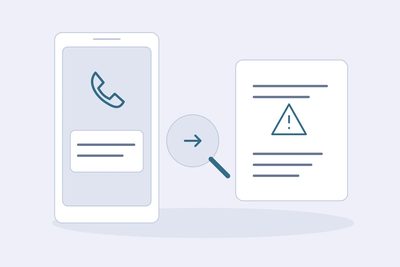
- Review a concerning interaction
- Understand the warning signs
- Choose a safer next step
ONE EVERYDAY EXAMPLE
Pause before sharing or acting.
ILLUSTRATIVE MESSAGE · NOT A LIVE CHECK
Review a concerning interaction
“Your account will be closed today. Send the code we just texted you to keep it open.”
Understand the warning signs
Warning signs to consider
- Pressure to act immediately.
- A request for a private verification code.
- A claim you haven’t independently confirmed.
Choose a safer next step
Contact the organization using a number you already trust.
An explanation cannot establish who is calling or guarantee that a message is safe.
Read how it could work
An urgent payment request could come with a clear list of warning signs. A suggested next step: check with the sender using contact details you already trust.
- The planned tools would explain warning signs and offer next steps to review. This website cannot check calls or messages. There is no public release yet.
- Explain what prompted concern and distinguish observed details from an uncertain assessment. Avoid presenting a prediction as a guarantee.
- Offer clear options, such as checking a request using contact details you already trust. The user stays in charge of responding.
PLANS & IMPORTANT BOUNDARIES
An explanation, not a guarantee.
A scam check could guide your next step, but could not promise to catch every scam. These clear explanations are still planned alongside the native prototype. There is no public release yet.
We’re building a native app. OpenCall has a native iOS prototype with call and message protection features tested locally. It is not in the App Store. The clear explanations shown here are a planned direction. This website cannot check calls or messages.
The development repository is private. Public updates will appear here as the project progresses.
Planned features
- Explore checks for suspicious messages and calls.
- Explain warning signs in clear, accessible language.
- Offer practical next steps, such as verifying a request through a known channel.
- Keep the decision with the user rather than automatically acting on a message.
QUESTIONS ABOUT OPENCALL
Your questions about OpenCall.
Who is this being designed for?
People who want help making sense of suspicious calls or messages. This includes people who need support with memory or understanding information.
An urgent request can make you feel you must act before checking. A warning should explain the concern and offer a clear next step.
Would OpenCall catch every scam?
No detection system can promise that. This concept would provide an assessment and explanation, with the uncertainty and limitations made clear.
Would it automatically block calls or respond to messages?
Automatic blocking and responding are not announced features of this concept. The current direction emphasizes explanation and user choice.
Is there a working scam checker on this website?
No. This page describes the future accessibility-focused direction for OpenCall. It does not analyze uploaded content, calls, or messages.
Privacy, accessibility, and user control
Plain language, short next steps, and controls that avoid adding pressure would guide this part of the design.
Data handling, supported access tools, and offline behavior remain to be defined before release. You should be able to review suggestions and choose what to share.
Our design commitmentsWhen can I use OpenCall?
There is no public release or announced launch date. The explanations shown on this page are still planned.
What makes a warning useful?
Describe the kind of explanation that would help you pause and check. Do not send real verification codes or private messages.
RELATED DIRECTIONS