CAREBRIDGE · FAMILY CARE COORDINATION
A clearer picture of care.
An AI family assistant being designed to help parents coordinate evaluations, therapies, school services, and the follow-ups that connect them.
THE EVERYDAY CHALLENGE
CareBridge starts
with a real need.
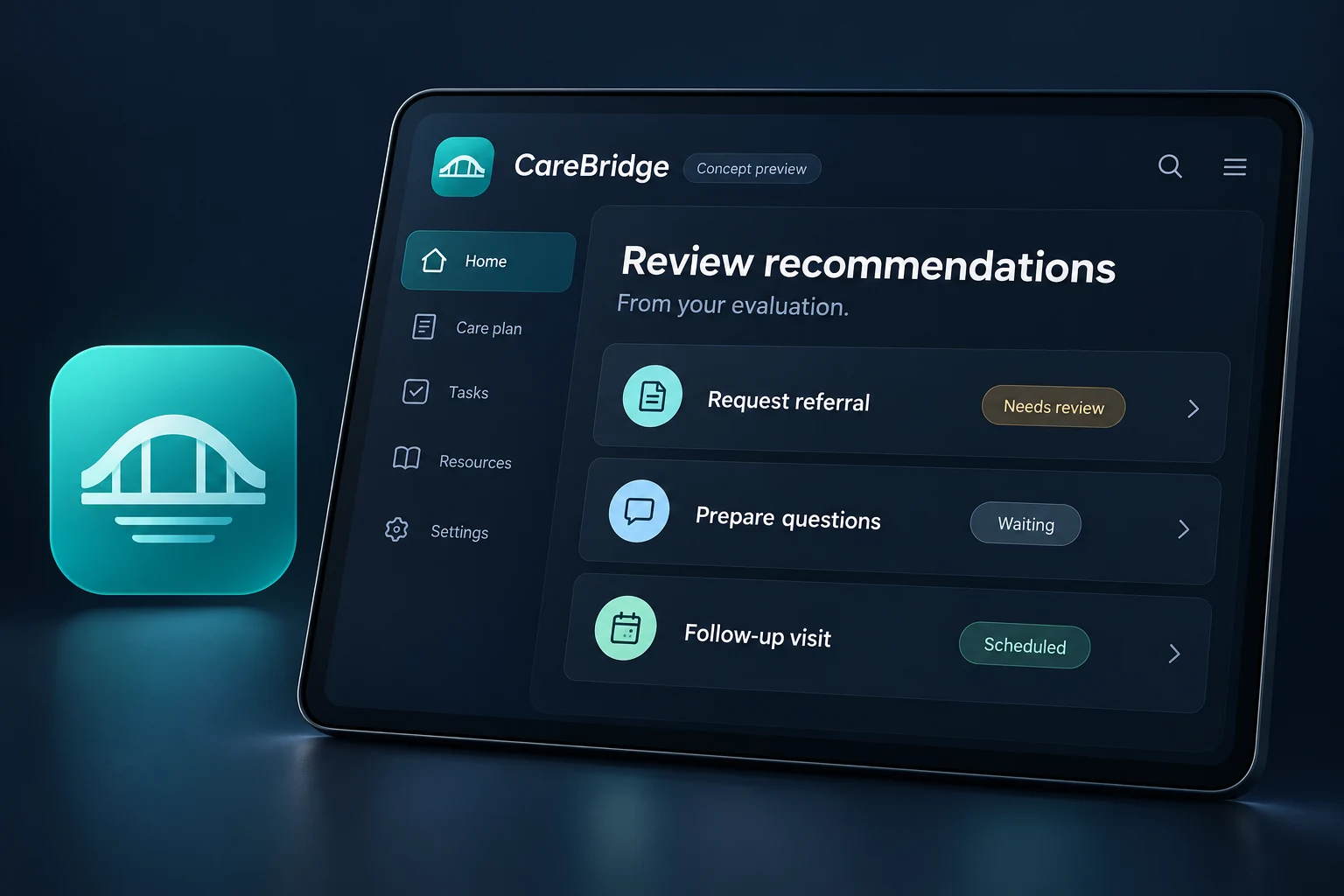
A recommendation in one report can become a referral, an appointment, a request to a school, and several follow-ups. The work spans providers and systems, while the family is left to keep the whole picture in mind.
Make the next outstanding action visible, with the original recommendation close at hand.
HOW IT COULD WORK
A thoughtful path
through the moment.
This walkthrough illustrates the intended experience. It describes the product direction, not functionality available on this website.
Bring the pieces together
Start with an evaluation or therapy report. The intended experience would identify recommendations and preserve their source so a parent can review them.
Check what is already happening
Mark a recommendation as scheduled, in progress, waiting for a response, or still to arrange. Make uncertainty explicit instead of treating an extracted suggestion as a confirmed need.
Prepare the next conversation
Build an appointment question list or an editable request. Parents decide what to share, with whom, and when.
PLANNED CAPABILITIES
The details
we’re exploring.
- Organize developmental evaluations, IEPs, IFSPs, and therapy reports.
- Surface recommendations, outstanding referrals, and follow-up actions.
- Track deadlines, appointments, and services in one chronological history.
- Summarize progress across providers and prepare questions for appointments.
- Draft emails requesting evaluations or additional services for parents to review.
- Highlight possible services or accommodations for families to investigate.
ACCESSIBILITY & CONTROL
Designed around
the person using it.
Plain-language summaries, a chronological view, and a short list of outstanding actions would help reduce the effort of reviewing a large care history.
Privacy, affordability, and user autonomy are shared Biro.dev design principles. Product-specific data practices, supported access methods, and any offline capabilities would be explained before public release.
Read our design commitmentsQUESTIONS ABOUT CAREBRIDGE
A clearer picture.
Would CareBridge decide which services a child qualifies for?
No. The concept would help organize documented recommendations and questions. Eligibility decisions and service availability would still need to be confirmed with the relevant professionals and agencies.
Would it send requests automatically?
The intended workflow is to prepare drafts for a parent to review. Sending, sharing, and permissions would need explicit user control.
Could multiple family members use it?
Permission-controlled collaboration is a possible direction. Roles, access to a child’s information, and sharing boundaries have not been finalized.
When can I use CareBridge?
CareBridge is in early concept development. There is no public release date, price, or supported-platform list yet. The next step is to develop and evaluate the intended experience.
HELP INFORM THE DIRECTION
What would make CareBridge
useful in your everyday life?
Share a challenge, a useful detail, or a question. You do not need to share sensitive personal information.
RELATED PRODUCT DIRECTIONS